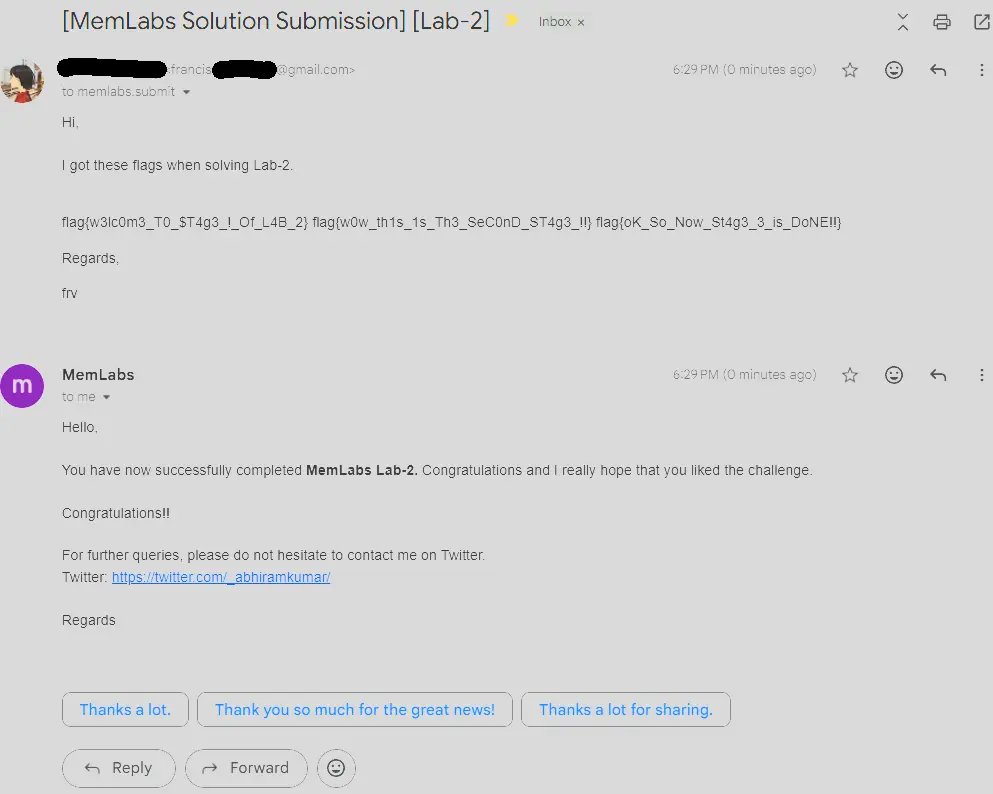
Challenge description
One of the clients of our company, lost the access to his system due to an unknown error. He is supposedly a very popular “environmental” activist. As a part of the investigation, he told us that his go to applications are browsers, his password managers etc. We hope that you can dig into this memory dump and find his important stuff and give it back to us.
Note: This challenge is composed of 3 flags.
Initial Thoughts
- Weird emphasis on environmental in challenge description, should investigate environment variables
- Go to applications are browsers and password managers, heavily hints at inspecting how user interacts with the browser
- Need to determine what important stuff actually means here, might be a file
Environmentalist
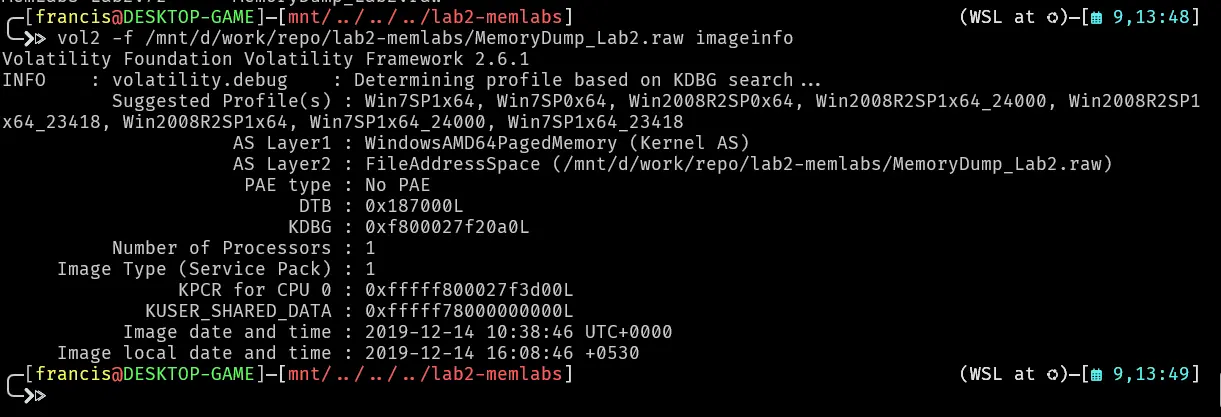
The client was an “environmentalist” which maybe hints at environment variables lets inspect it
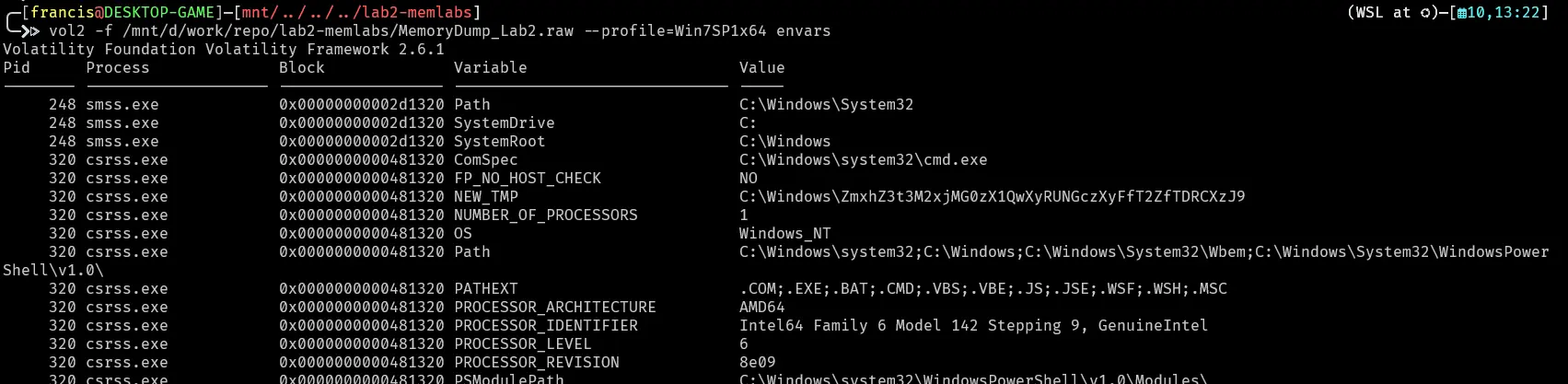
Scrolling down we find something interesting

A path where there seems to be a base64 encoded string in it.
ZmxhZ3t3M2xjMG0zX1QwXyRUNGczXyFfT2ZfTDRCXzJ9
Lets decode it and see what it says.

This gets us the first flag
flag 1 : flag{w3lc0m3_T0_$T4g3_!_Of_L4B_2}
Chrome
As a part of the investigation, he told us that his go to applications are browsers
Lets investigate the browsers. We first list the processes and see which browsers he uses.

Seems like the client primarily uses chrome lets memdump all the chrome processes

Lets do a strings on one of the memory dumps for example 2296.dmp then try to see what urls he typed

Then grep for http and https

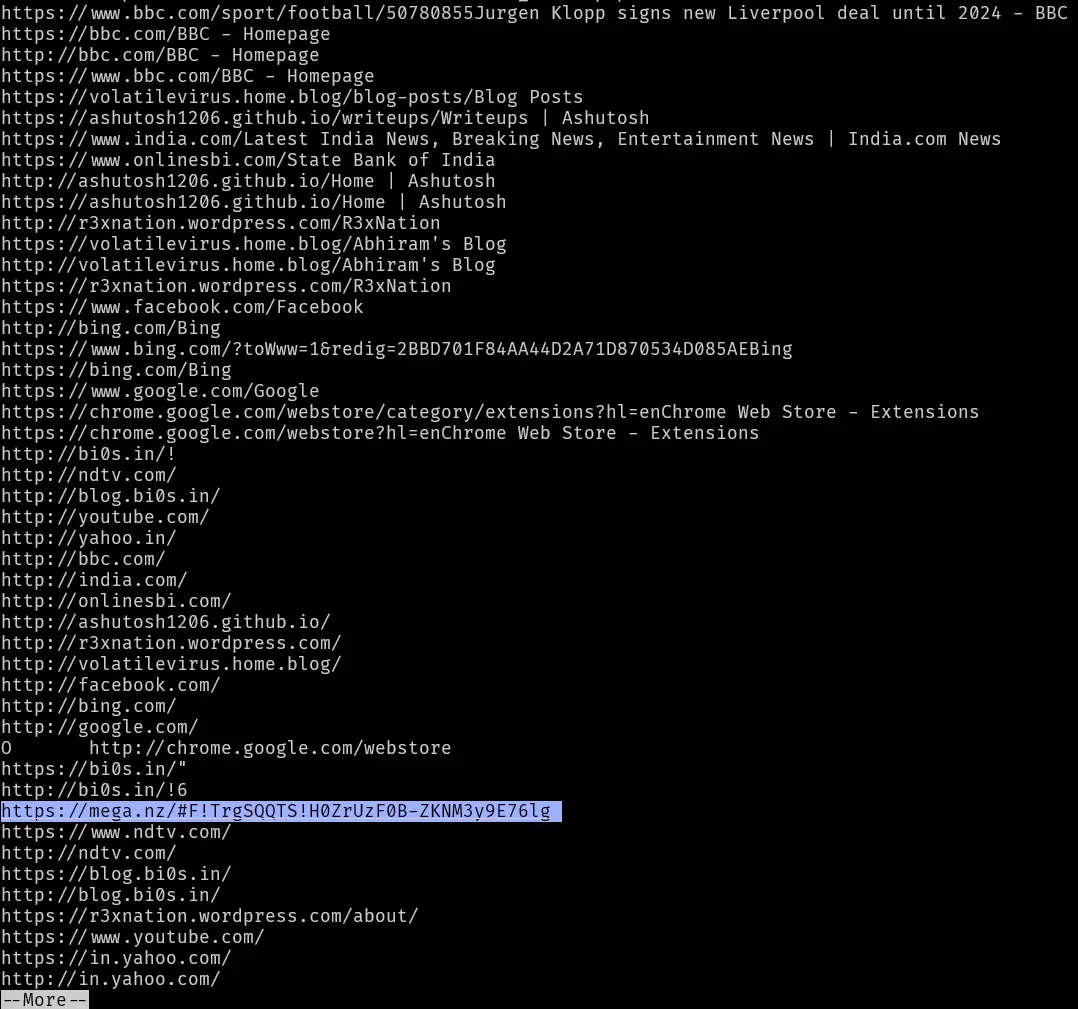
Seems like the client downloaded something from mega.nz, lets try opening this link and see what it gets us
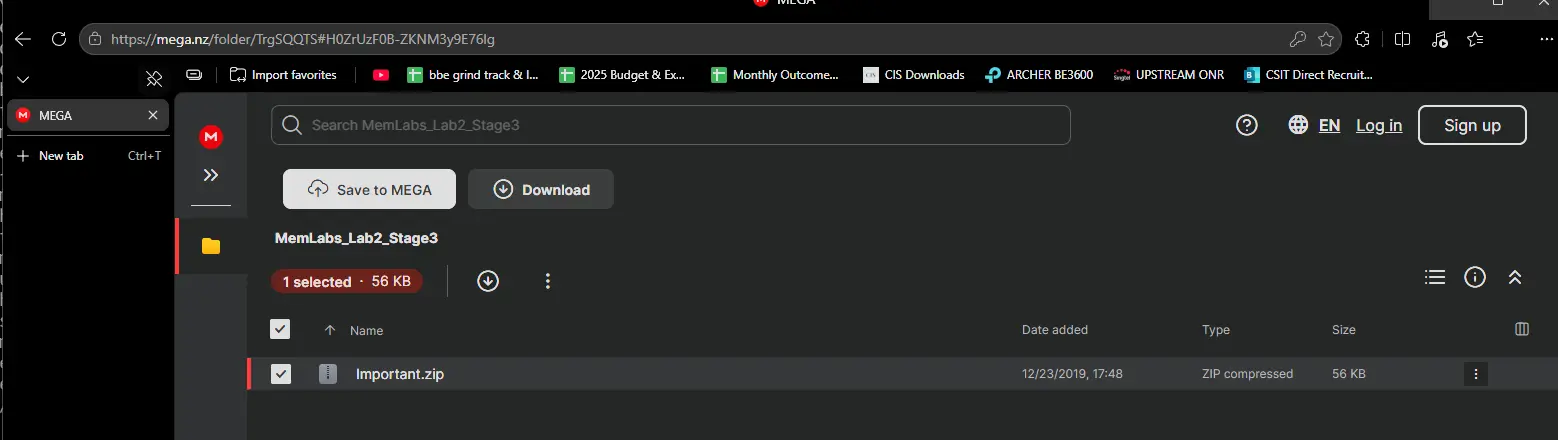
The mega link leads to a zip file called Important.zip lets download this. The file is also apparently related to MemLabs_Lab2_Stage3.
Lets see the xxd output and file output to see what type of file this is and if any information was hidden in the header.
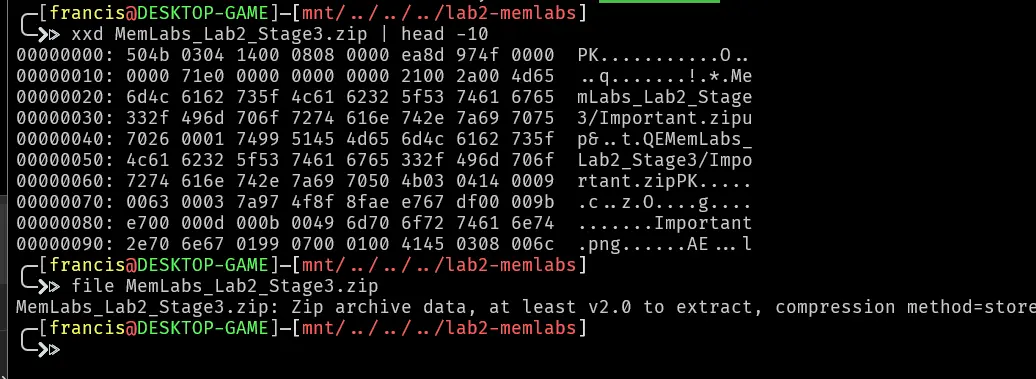
Looks like a normal zip file, lets unzip it and see whats inside. This unzips into another zip file.
Lets again see the xxd output of important.zip.
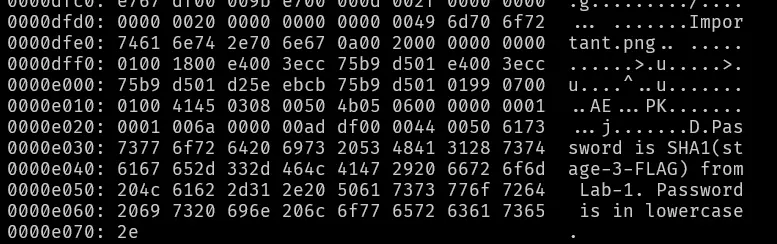
At the bottom it states the password is SHA1(stage3 flag from lab-1) and the password is lowercase. Attempting to unzip it reaffirms this.

The stage 3 flag from lab1 was flag{w3ll_3rd_stage_was_easy} . Lets get the password and unzip the file.
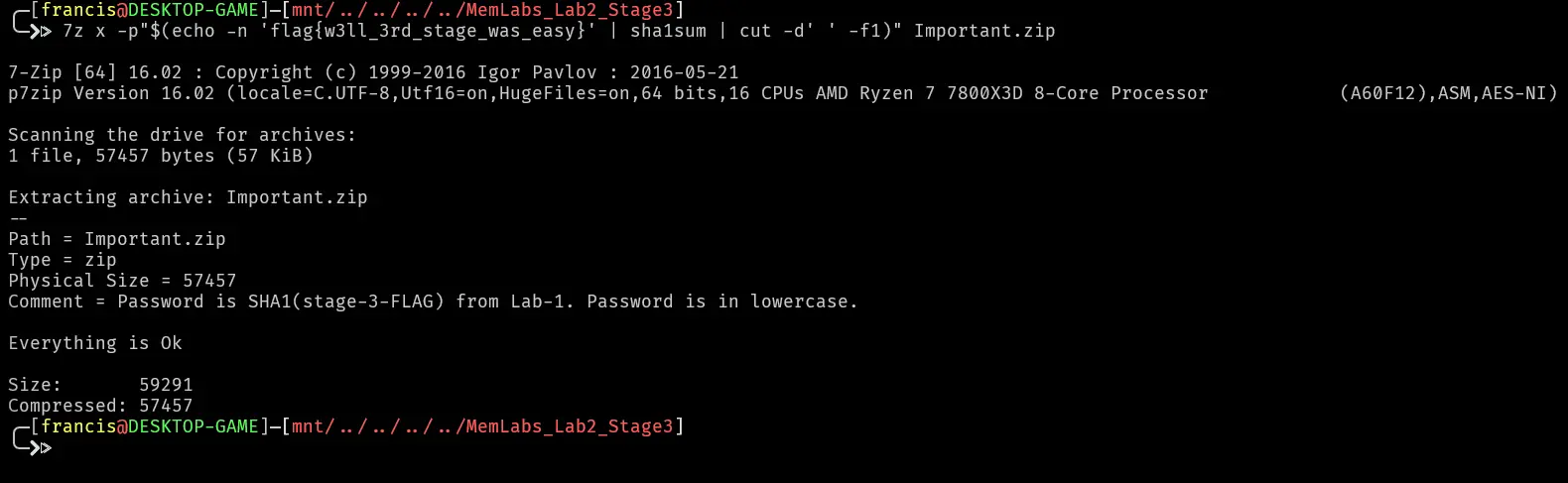

It unzips into an image, the image being the following,
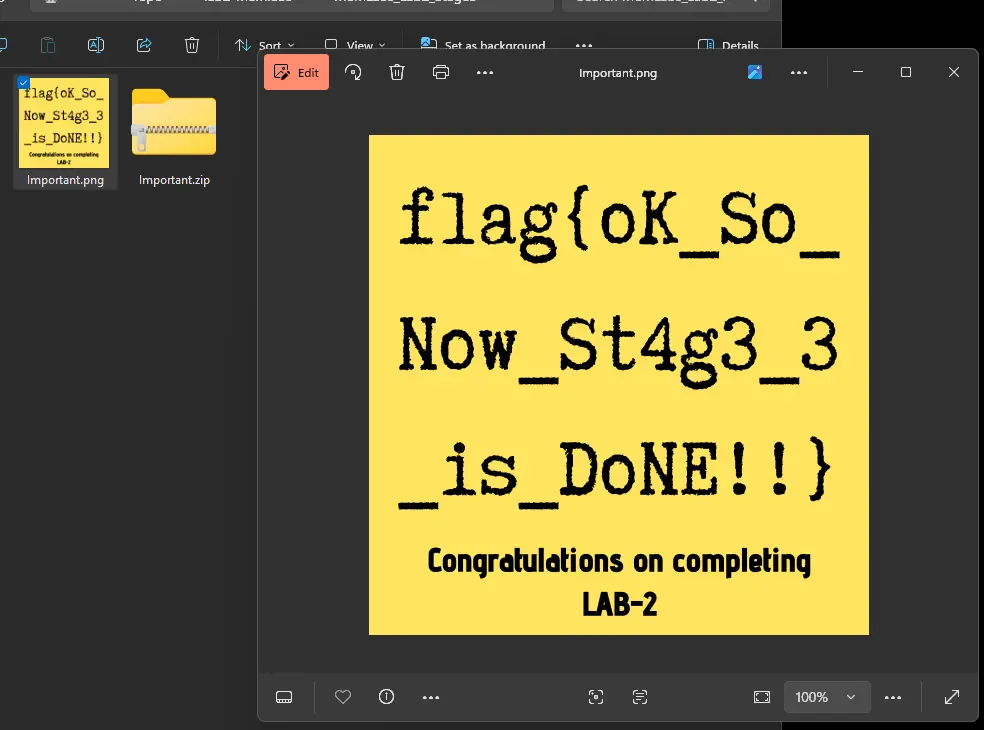
Therefore, the flag we get is
flag 3 : flag{oK_So_Now_St4g3_3_is_DoNE!!}
Keepass
his password managers etc.
Lets check cmdline to see if there is anything interesting

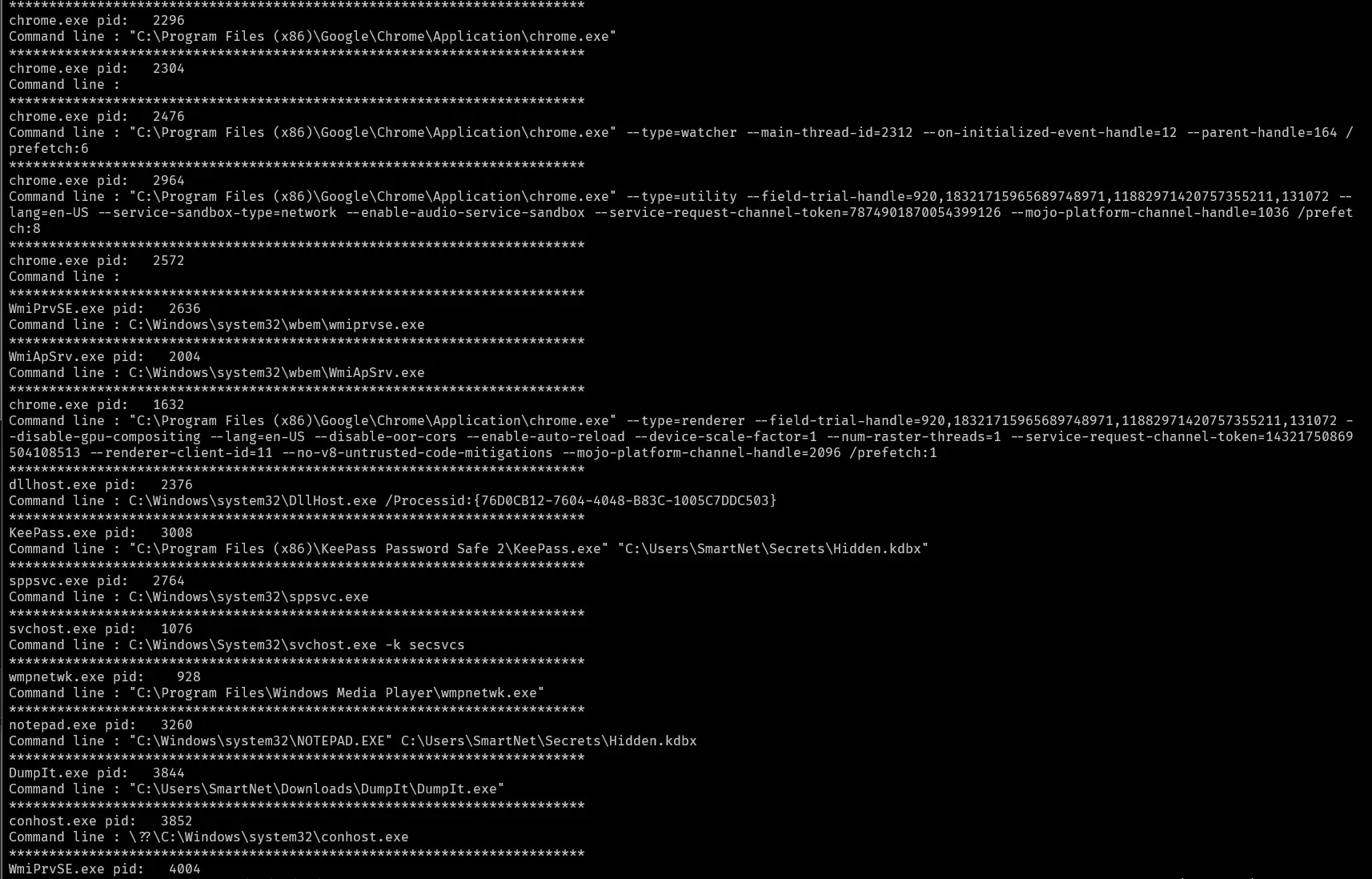
Few things that immediately stand out to me are the following


This is really weird because under normal circumstances you will not be able to open the Hidden.kdbx file with notepad so why was there an attempt to do so.
Lets find the file offset for hidden.kdbx and then dump the file.

Lets try to memdump the keepass and do strings on it, maybe we can find something interesting about the hidden file or any other clues
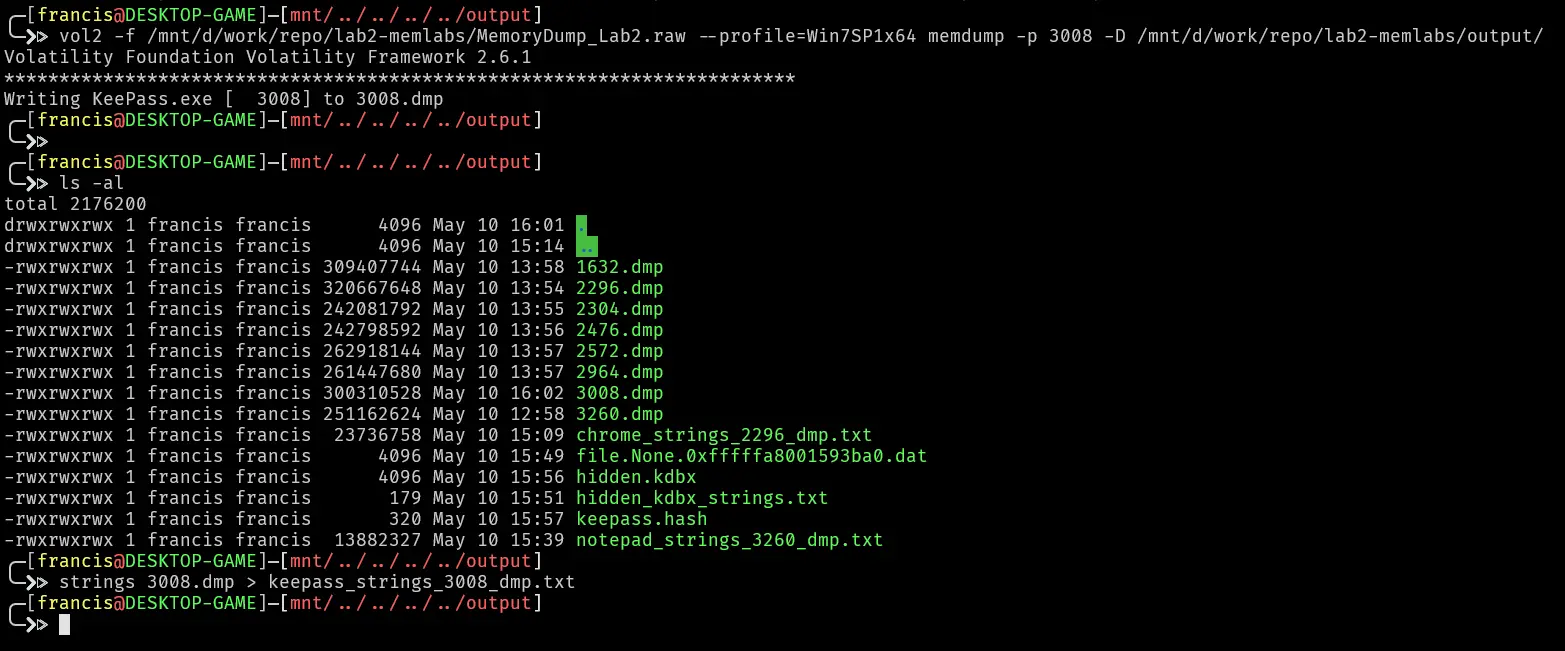
Lets do a strings on 3008.dmp and then search for some keywords starting with “pass”
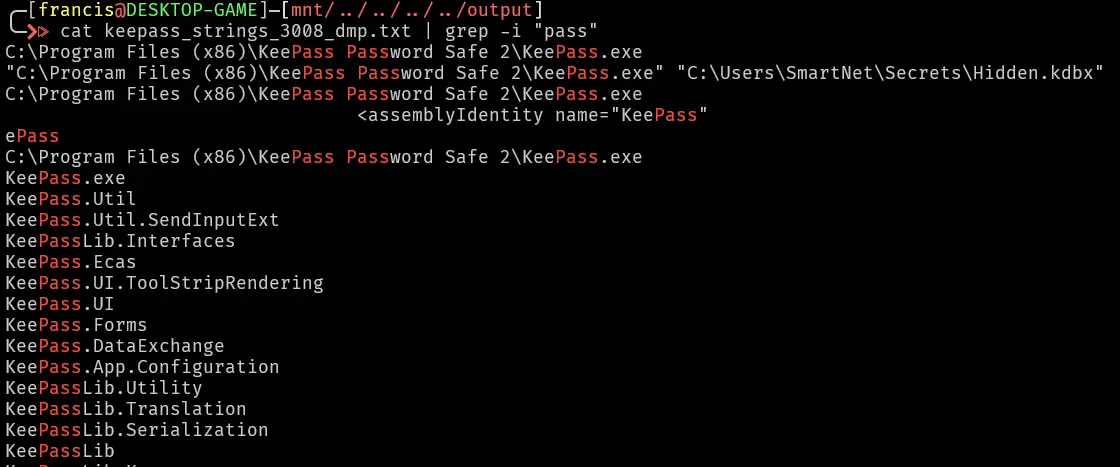
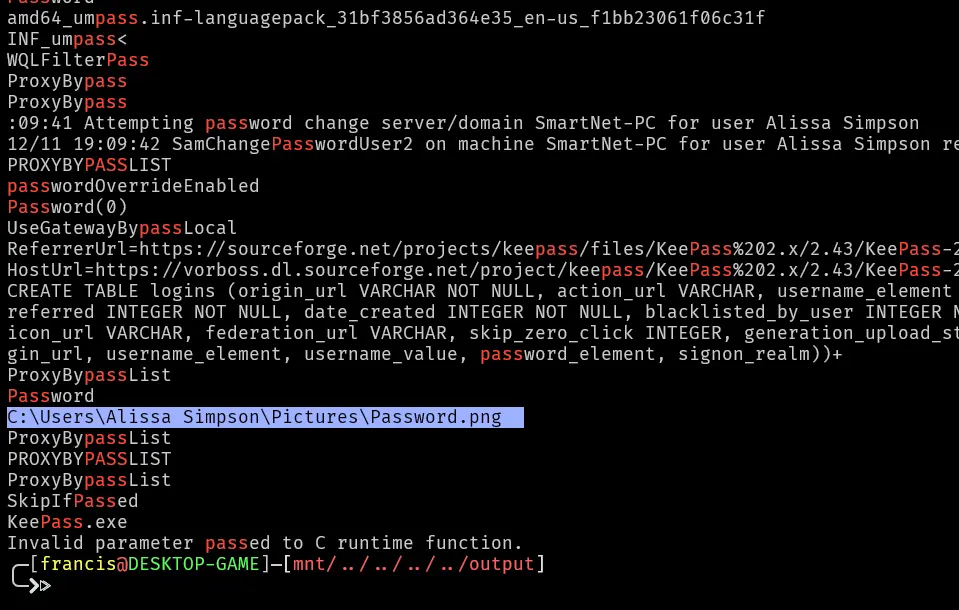
Theres an image called Password.png lets try to dump that and open it.
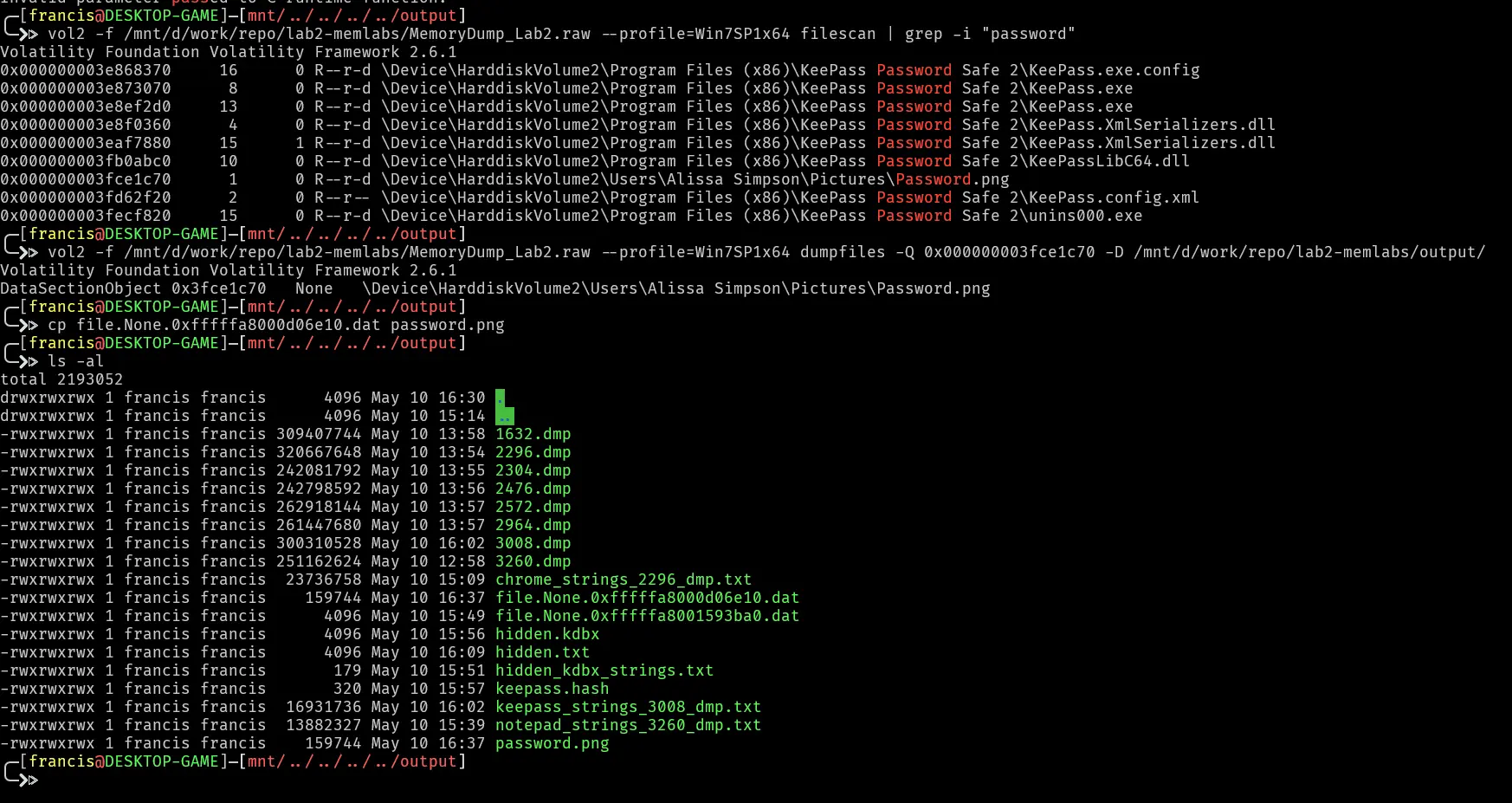
Then opening it we get
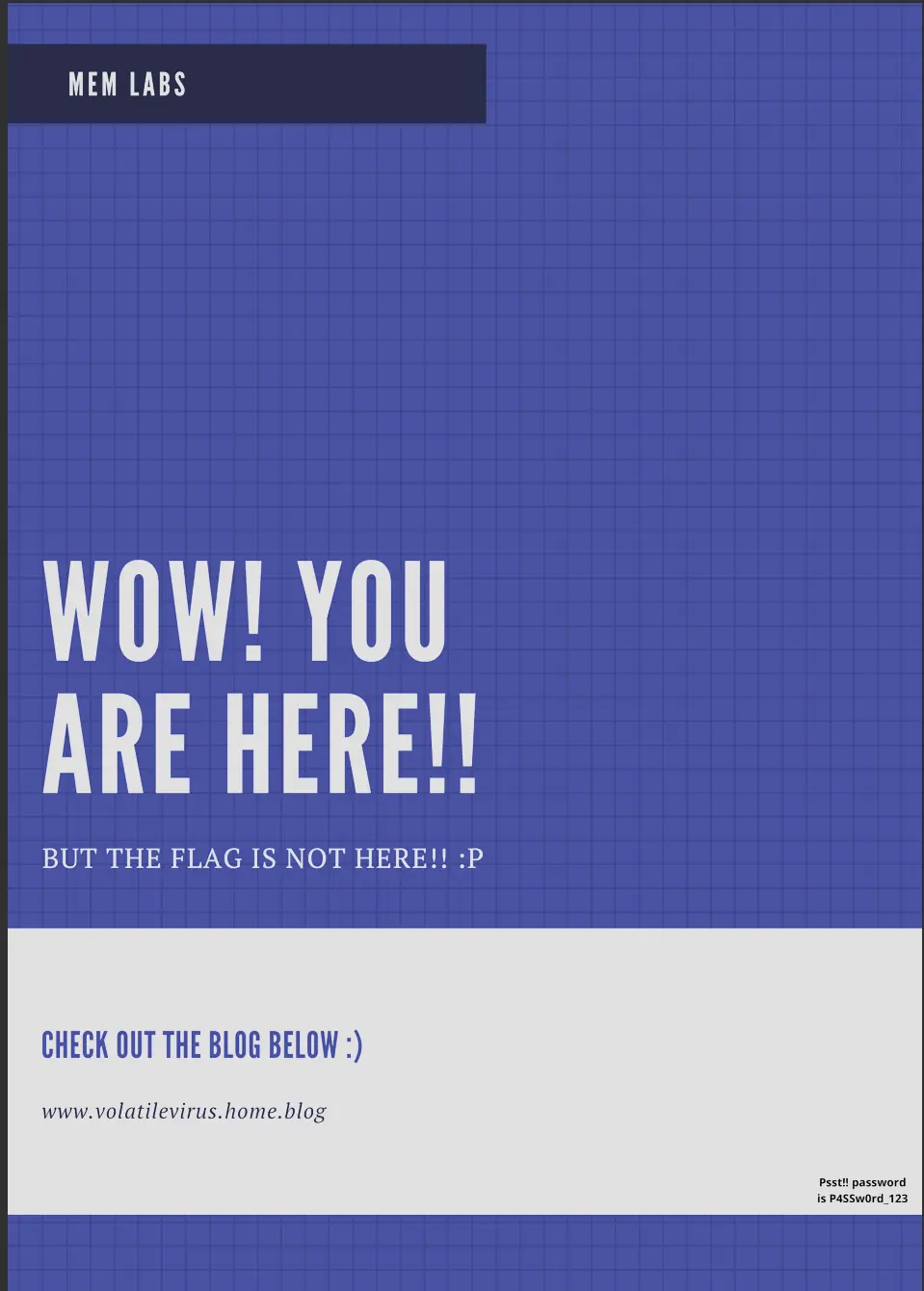
So this tells us the password is P4SSw0rd_123.
We then install keepassxc on ubuntu wsl, my working environment then try to open this database using the password.
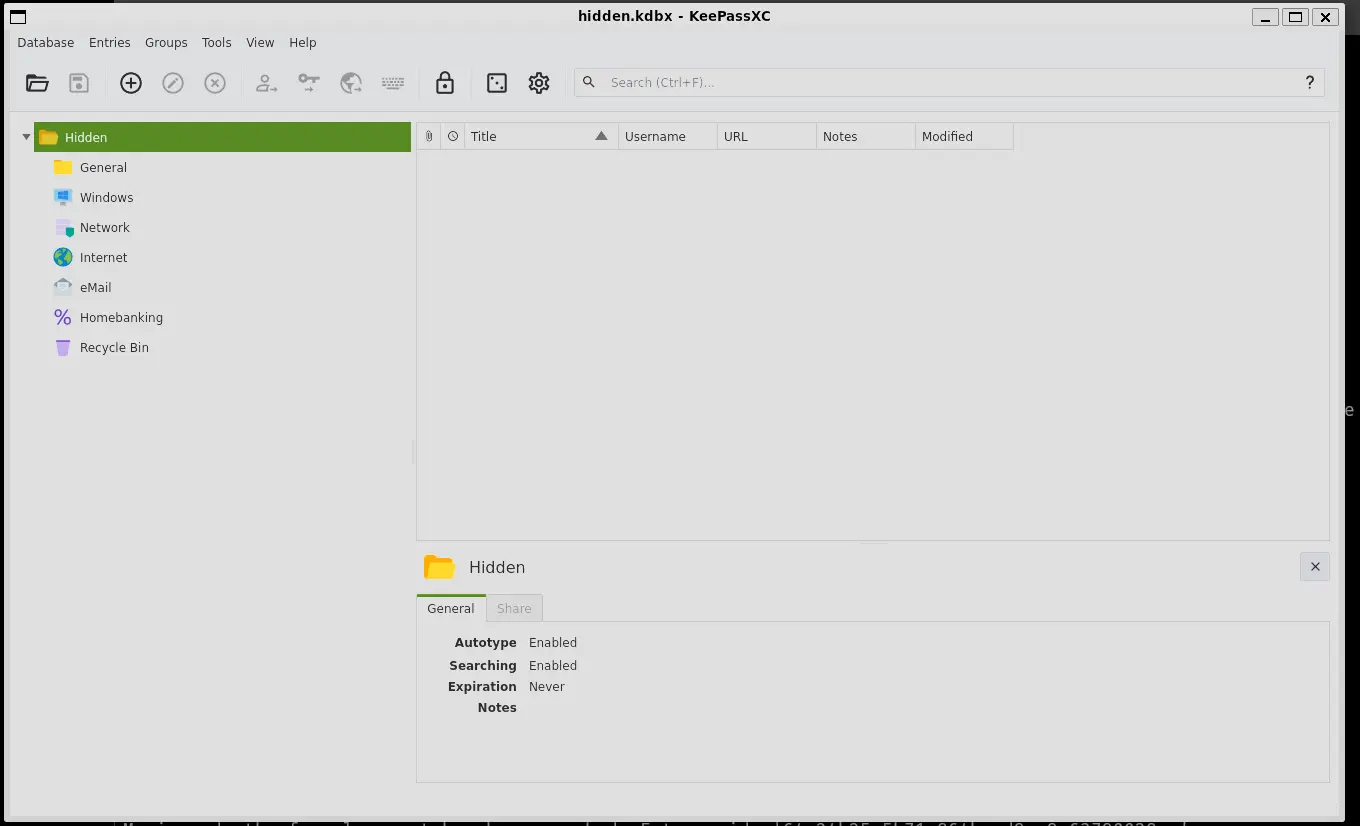
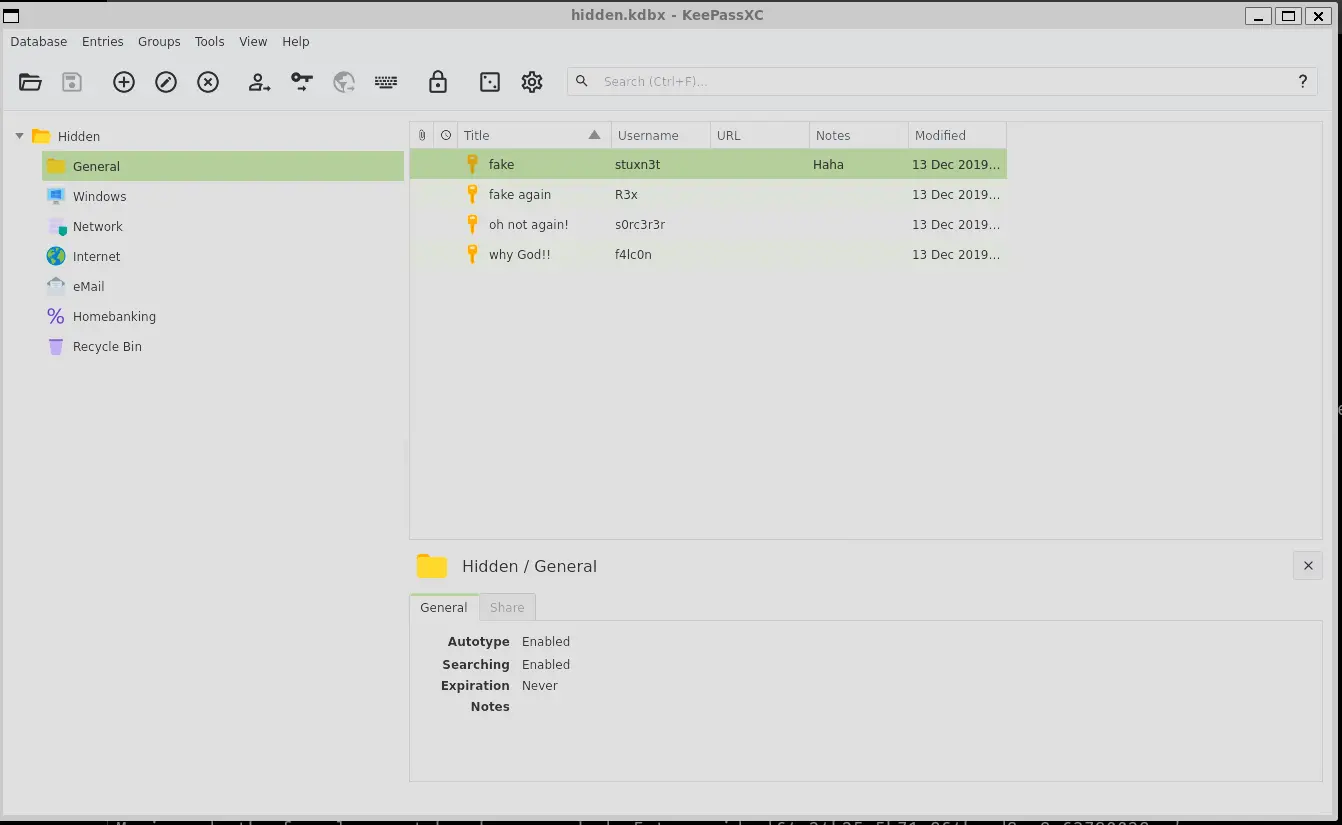
If we go to general we see a few fake entries
However, if we go to the recycle bin we will find the actual flag
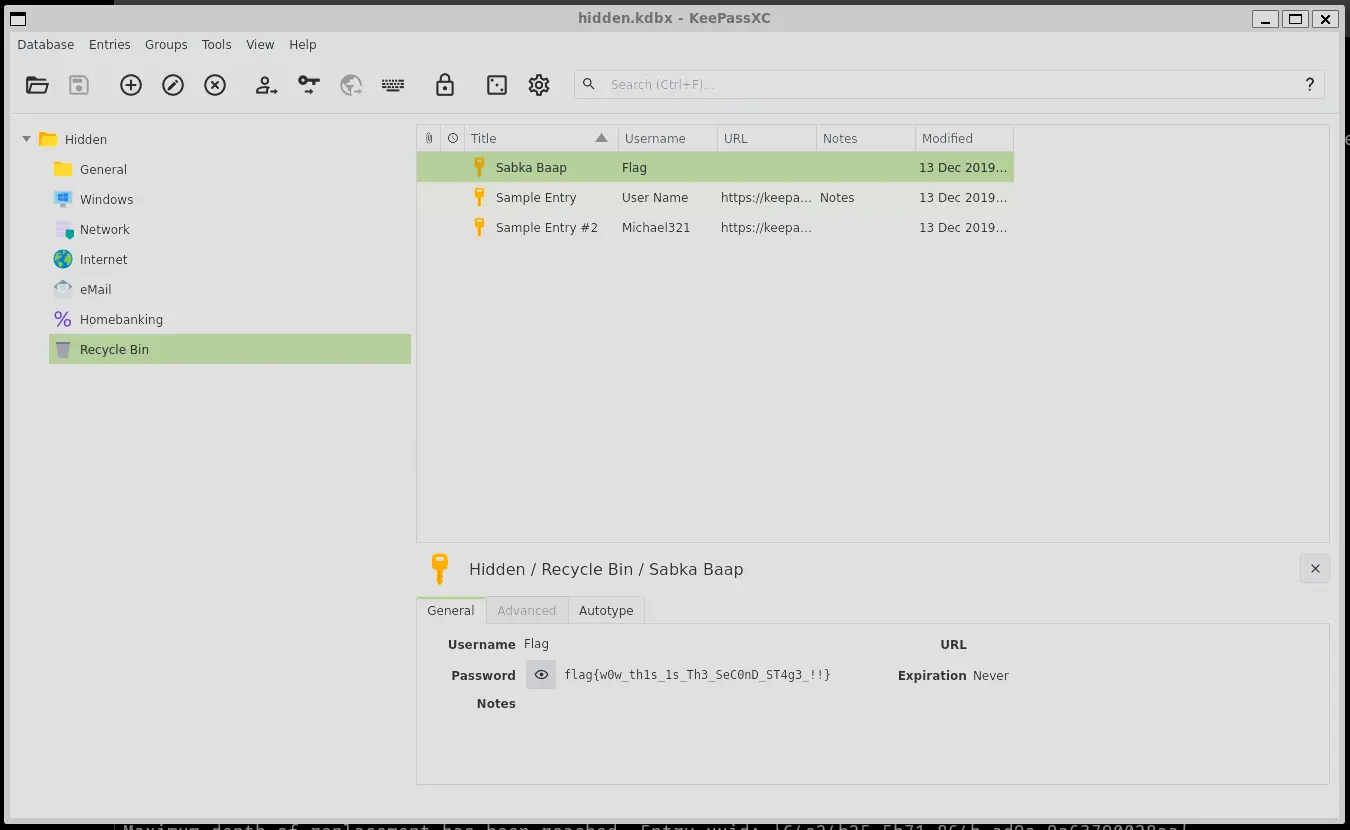
So the 2nd flag in the challenge is
flag 2 : flag{w0w_th1s_1s_Th3_SeC0nD_ST4g3_!!}
Together we have found all 3 flags which are
flag 1 : flag{w3lc0m3_T0_$T4g3_!_Of_L4B_2}
flag 2 : flag{w0w_th1s_1s_Th3_SeC0nD_ST4g3_!!}
flag 3 : flag{oK_So_Now_St4g3_3_is_DoNE!!}
Submission